Record the process.
We’ll build your guide.
Turn any workflow in the browser into a professional how-to with screenshots. Automatically.
See how it works:

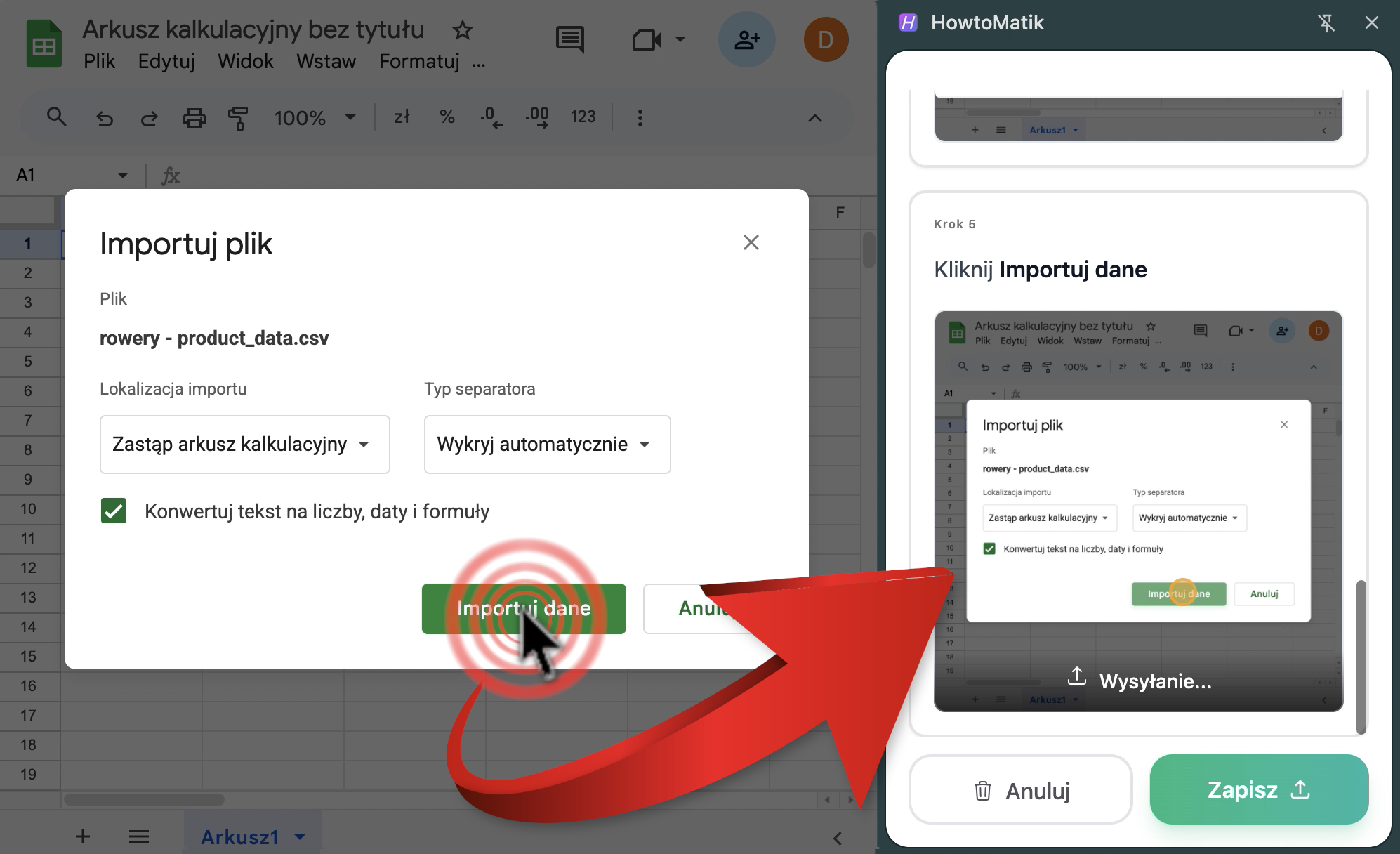
How does it work?
Creating professional guides has never been easier. Just three steps.
Record
Work through the task in your browser—the tool captures clicks and navigation. No manual screenshots.
Save
Step descriptions and the guide title are written automatically. You get a finished guide in seconds.
Share
Send a link in one click, export to PDF, Google Docs, or embed the guide in your knowledge base.
Key features
Step descriptions
Automatic step naming so you don’t have to write captions by hand.
Comfortable editor
A full editor for extra tips and grouping related steps.
Security & privacy
Blur sensitive data in screenshots. Your confidential information stays protected.
Flexible export
PDF, Google Docs, Notion, Confluence, and more—pick the format that fits your team.
Who is it for?
HowToMatik shines anywhere you need clear, repeatable instructions.
faster onboarding
Employee onboarding
Faster ramp-up with crisp how-tos. Cut onboarding time by up to 60%.
fewer tickets
Customer support
Fewer tickets with self-service guides—customers find answers before they write in.
faster documentation
SOP creation
Build standard operating procedures without the grind. Standardize processes across the company.
Frequently asked questions
HowToMatik works on any website and browser-based app. You can create guides for tools like Google Workspace (Docs, Sheets, Drive), Microsoft 365, GitHub, Jira, Notion, Confluence, and many more. If it runs in the browser, HowToMatik works.
Not yet. The browser extension only captures content shown in the web browser. A desktop app for recording guides on any Windows or macOS software is on the roadmap. Stay tuned for updates.
Open the site or web app, click the HowToMatik icon in your browser toolbar, and start recording. Add steps and descriptions as you go, then share the guide with your team when you’re done.
The product is completely free at least through June 2026. After that we’ll introduce a paid plan, but a free tier with core features will remain permanently. We’ll share pricing details well in advance.
HowToMatik captures your actions only while recording is on—after you press record until you stop. We don’t collect personal data, only browser and app context needed to build the guide you’re creating.
Your data is stored on secure cloud infrastructure and is visible only to you and people you share it with. Screenshots are stored encrypted for additional protection against unauthorized access.
Ready to automate your documentation?
Skip next meeting - send a guide instead. Get started free today.